MY NINE ALBUMS THAT MADE ME
How to Make a My Nine Albums That Made Me Poster
Want to put the albums that shaped you into one image? Start with a record you already have in mind. You can add the others, change your picks, and try different styles as you go.
Open the poster maker ↗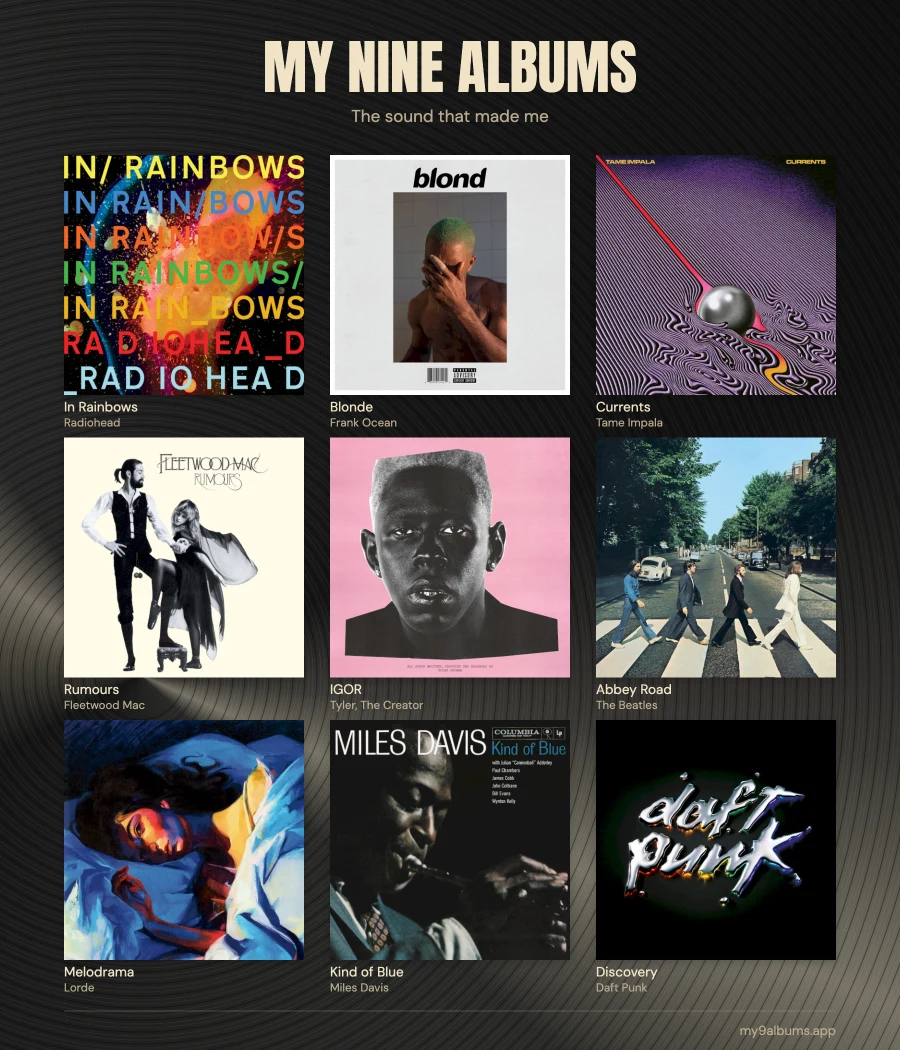
1. Find and add your albums
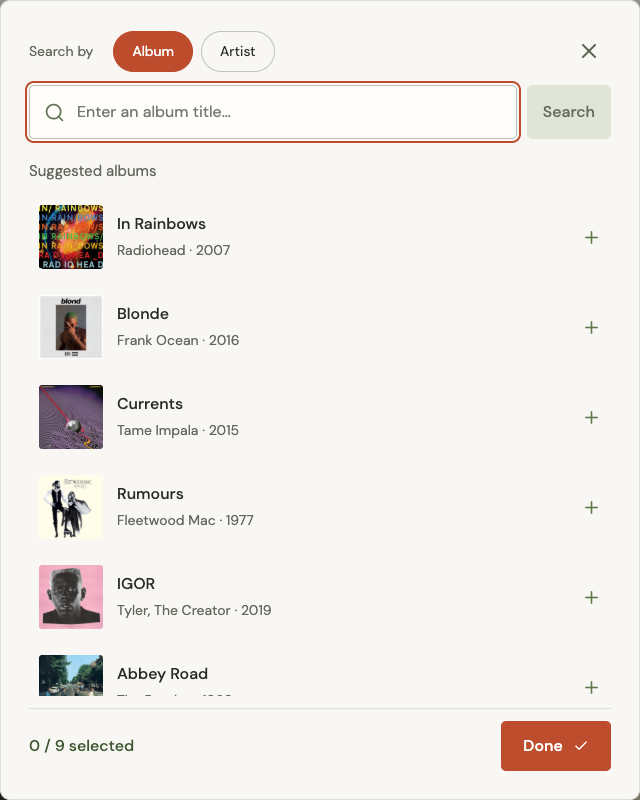
Open the My Nine Albums generator and click or tap an empty space in the nine-square grid. A search window will open.
- Type an album title and press Enter or tap Search.
- If you only remember the artist, select Artist above the search box and search for their name instead.
- Find the right album in the results and select it. Check the cover and artist if several titles look similar.
- Keep selecting albums in the same window until you have your nine. Close the search window when you want to see the whole poster.
You do not need your final list before starting. If you get stuck, think of an album you grew up with, one that reminds you of someone, and one you still play today. You can include several records by the same artist.
Picked the wrong album? Tap its cover on the poster to choose a replacement. Use the remove control if you want to leave that space empty for now.
2. Get the poster looking right
The My Nine Albums template puts your nine covers in a 3×3 grid. Once your covers are in place, you can put your favorite first, arrange the records in the order you discovered them, or move them until the covers look good together.
- Move an album: drag its cover to another position. You can also use its left and right arrow controls.
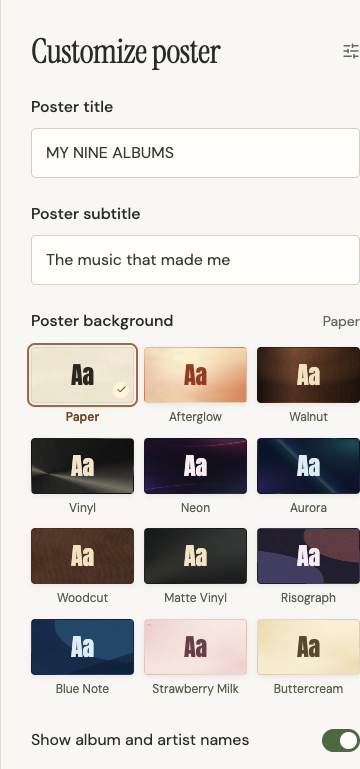
- Try a background: choose a style under Customize poster and see how it looks behind your covers.
- Keep or change the words: the default title is MY NINE ALBUMS and the subtitle is The music that made me. Use Poster title and Poster subtitle to edit them.
- Choose whether to show names: switch Show album and artist names on for readable labels, or off for just the artwork.
If you like the default design, you can skip these changes and go straight to saving your poster.
3. Save the image
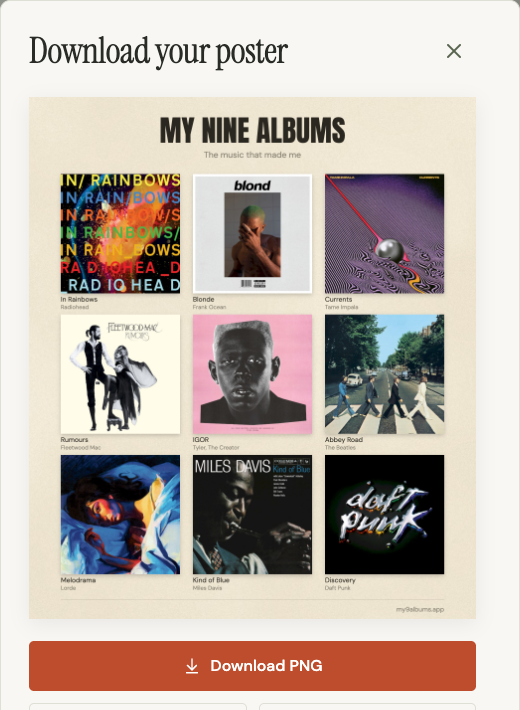
When all nine spaces are filled, click or tap Download poster. If the button says Loading album covers…, wait for the artwork to finish loading first.
A window opens with your finished poster. Check it one last time, then choose Download PNG. Your browser saves a file named my-nine-albums.png. The image is 1800 × 2100 pixels.
If you spot something you want to change, close that window, edit your poster, and download it again.
Stuck? Try this
I cannot find an album. Try searching for its artist, use fewer words from the title, or check the spelling. The results can have more than one page.
A cover is missing. Try another result for the same album. Some records do not have artwork available; if none of the results has a cover, you can choose another album for a complete cover grid.
Download poster is disabled. Make sure every space has an album and wait for any loading message to finish.
The share link did not appear. Choose Try again in the download window. You can still save the PNG if you only need the image.
I want to finish later. Your draft is saved in this browser. Come back on the same device and browser to continue. Save the PNG or copy a share link before clearing browser data or switching devices.